Publishing Chapters
Once your novel is created, it's time to add chapters. This guide walks you through creating and publishing chapters on World Chain Novel.
Step 1: Go to Chapter Publishing
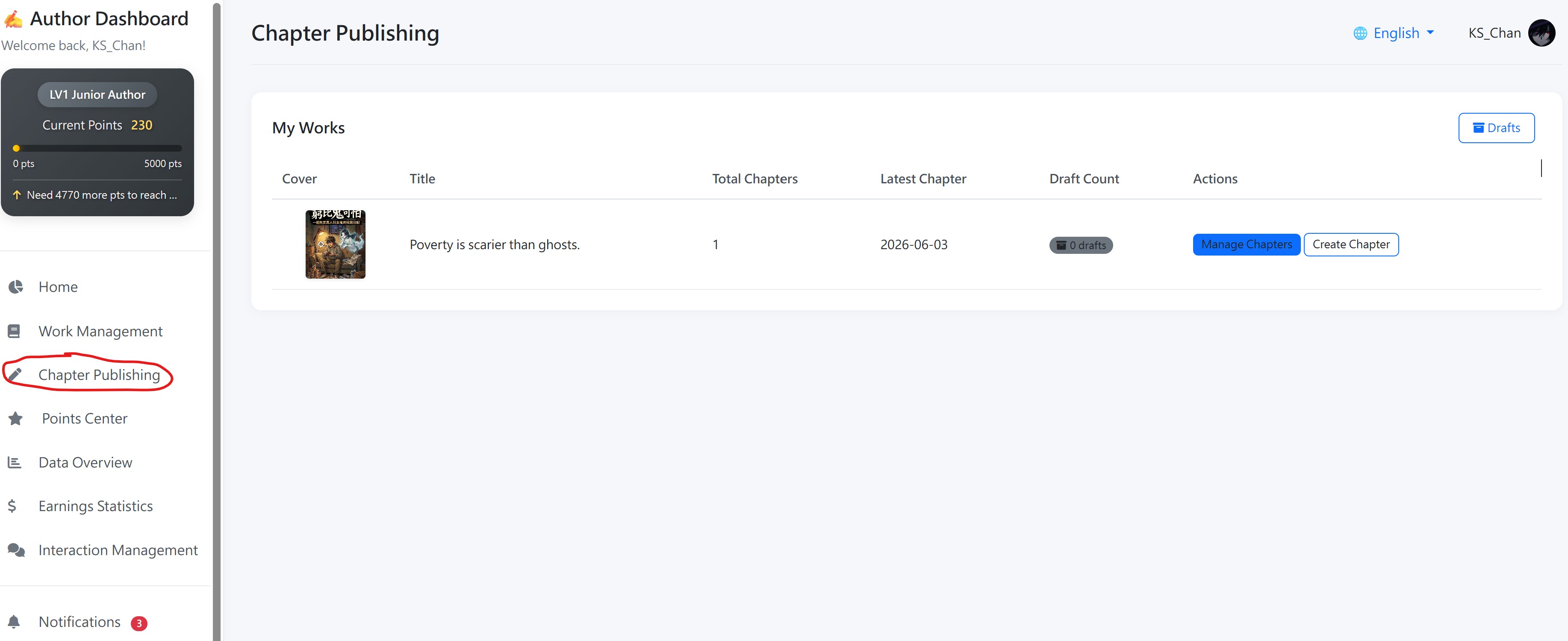
From your Author Center, navigate to Chapter Publishing. Here you will see a list of all your novels. Find the one you want to work on.
Step 2: Manage or Create Chapters
Click Manage Chapters to view and edit existing chapters, or click Create Chapter to add a brand new one.
Step 3: Fill in Chapter Details
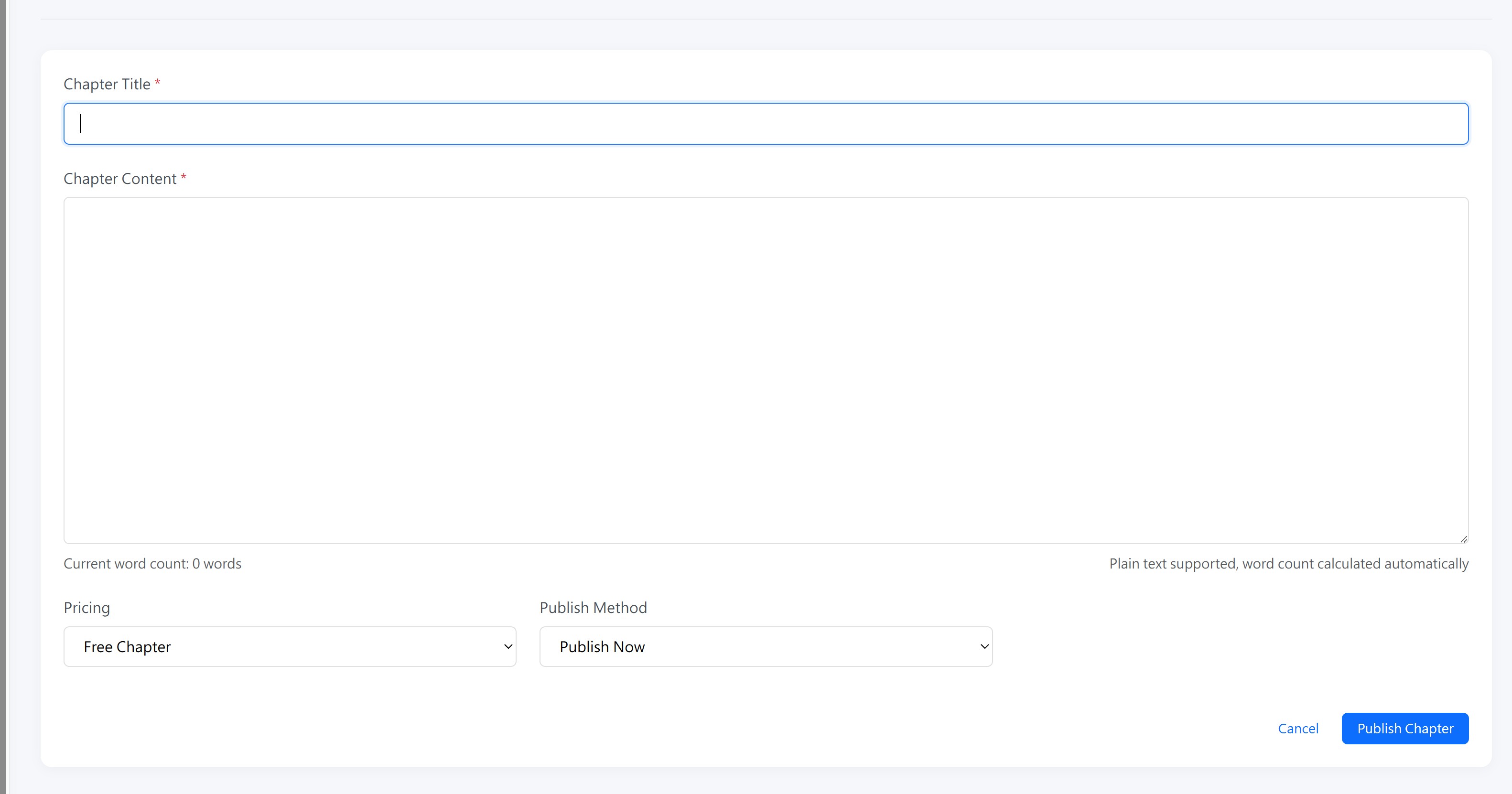
| Field | Description |
|---|---|
| Chapter Title | Give your chapter a clear and engaging title. |
| Chapter Content |
Write your chapter content here. We recommend keeping your chapters between 1,000 and 5,000 words for the best reading experience.
Formatting Tip: Keep both your line spacing and paragraph spacing consistent. Readable layout. Consistent formatting not only improves the reading experience but is especially important for translated versions — it ensures the best translation quality. |
Step 4: Choose Free or Paid
You can choose whether this chapter is Free or Paid. If you select paid mode, the pricing will be automatically calculated based on the English-translated word count of your chapter. This ensures a fair and consistent pricing standard across all languages.
Why English word count? English serves as the baseline for pricing because it is the most widely understood language on the platform. Using a single standard ensures that all authors are compensated fairly regardless of their original language.
Step 5: Choose Publish Method
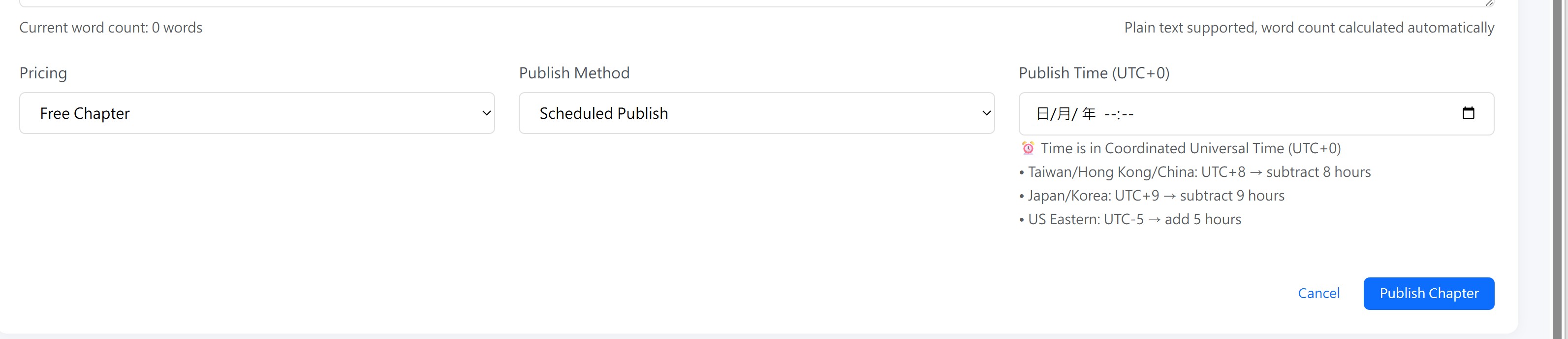
| Method | Description |
|---|---|
| Publish Immediately | Your chapter goes live as soon as you submit. Readers can access it right away. |
| Save as Draft | Save your chapter privately. You can come back later to edit and publish it when ready. |
| Scheduled Publishing | Set a future date and time for your chapter to go live automatically. This is great for maintaining a regular update schedule. |
Time Zone Notice: All scheduled times are in UTC. Please convert from your local time zone when setting a schedule. For example, if you are in Hong Kong (UTC+8) and want your chapter to publish at 8:00 PM local time, set the schedule to 12:00 PM UTC.
Step 6: Submit and Wait
After submitting, your chapter will be processed. The platform will:
- Calculate pricing — Determine the cost based on the English word count (for paid chapters).
- Generate translations — If your novel is under a signed contract, the platform will automatically translate your chapter into supported languages.
Please be patient! The translation process takes approximately 20 minutes to complete. During this time, your chapter is being translated into multiple languages to reach readers worldwide in the backend. Do not re-submit or edit the chapter during this period.