Editing Your Novel & Applying for a Contract
From the Work Management page, you can edit your novel's details and apply for the Standard Licensing Agreement to unlock all platform features.
Step 1: Open the Edit Form
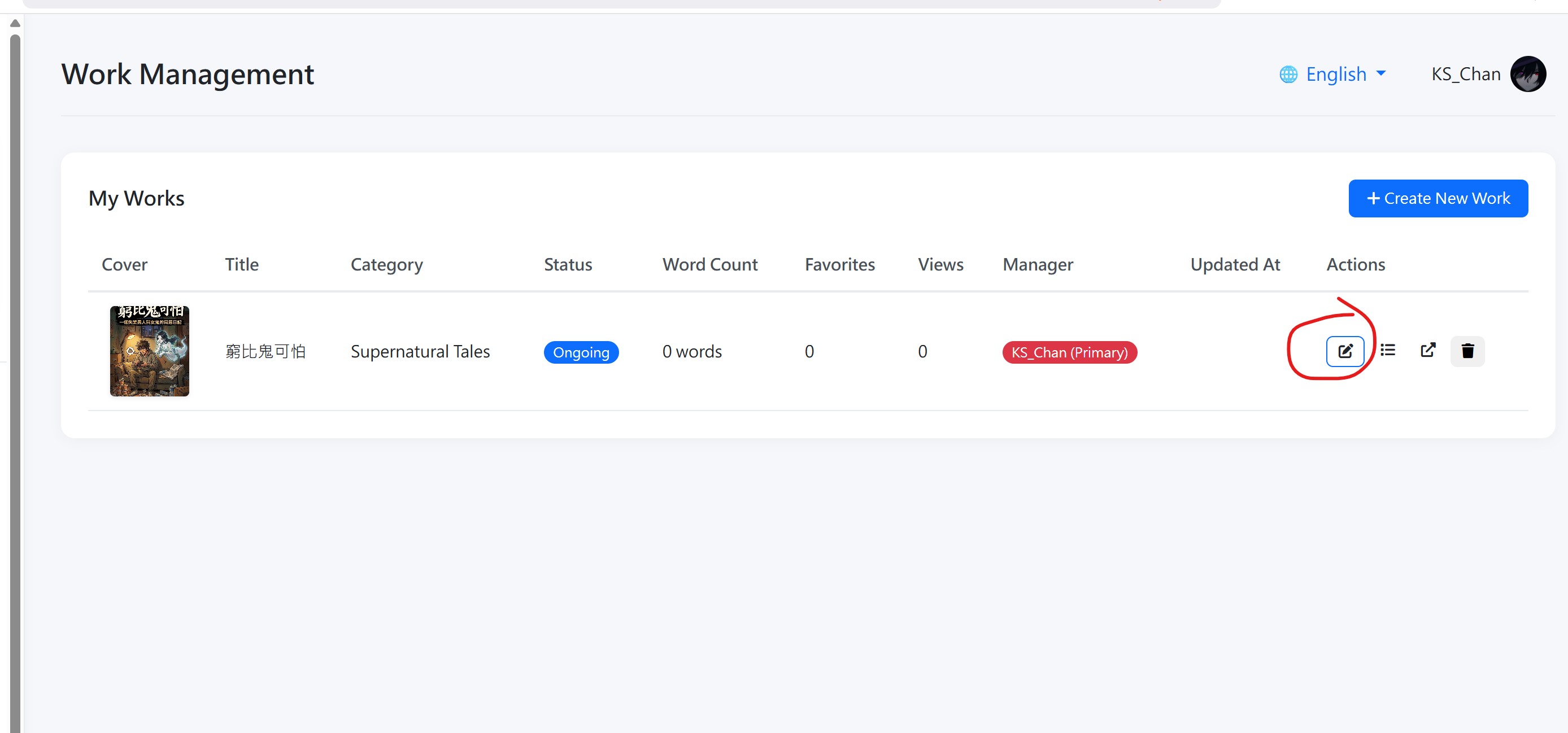
From Work Management, find the novel you want to edit and click the Edit button (pencil icon). This opens the edit form.
Step 2: Edit Your Novel Details
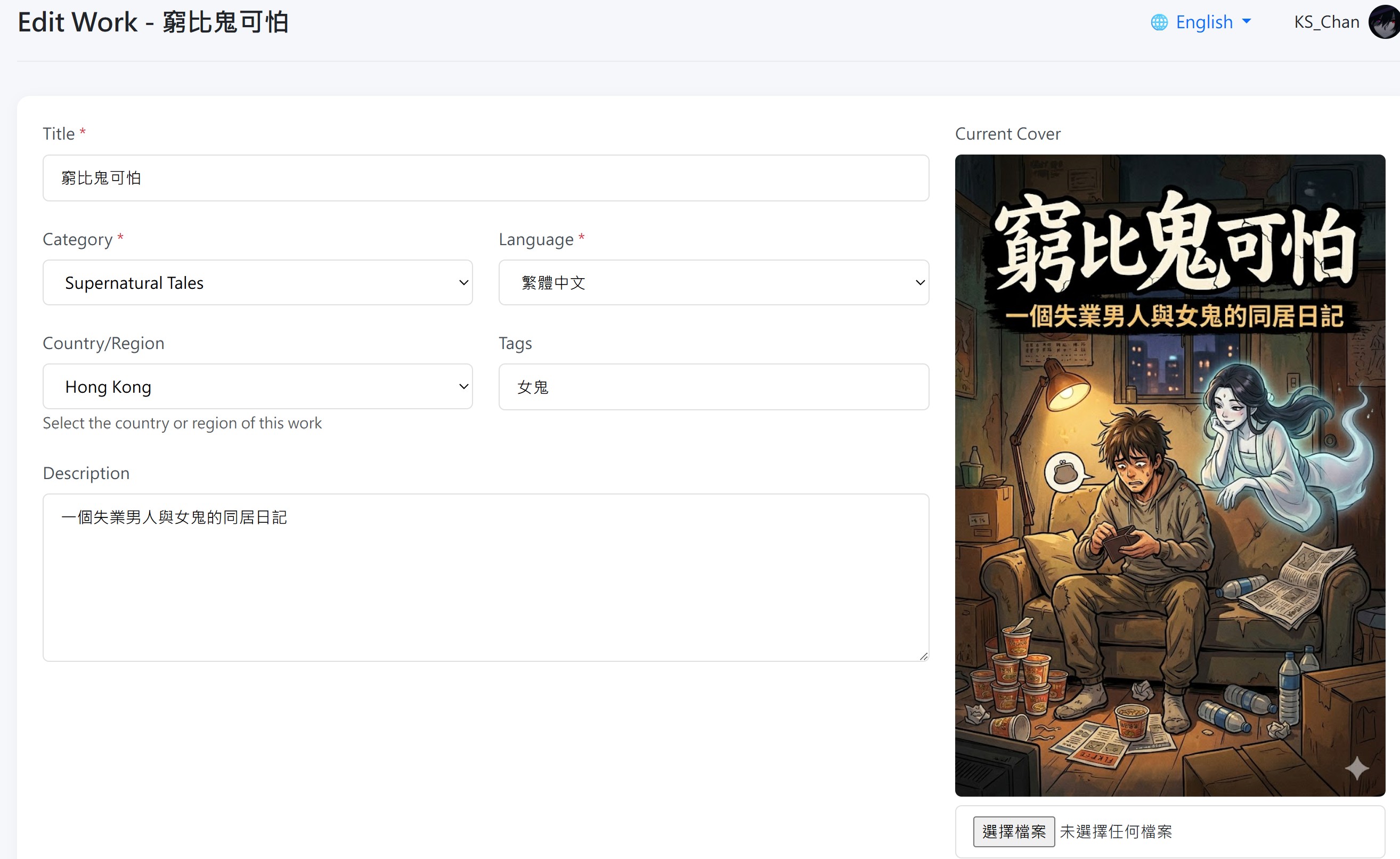
In the edit form, you can modify the following:
| Field | Can Edit? | Notes |
|---|---|---|
| Title | ✅ Yes | Change your novel's name. Must remain unique. |
| Category | ✅ Yes | Update the genre of your novel. |
| Language | ✅ Yes | Change the primary language of your work. |
| Country/Region | ✅ Yes | Update your target country or region. |
| Tags | ✅ Yes | Add or update keywords to help readers find your work. |
| Description | ✅ Yes | Update your novel's synopsis. |
| Cover | ✅ Yes | Upload a new cover image. |
| Status | ✅ Yes | Set to Ongoing, Completed, or On Hold. Completion requests require manager approval. |
Step 3: Apply for a Contract
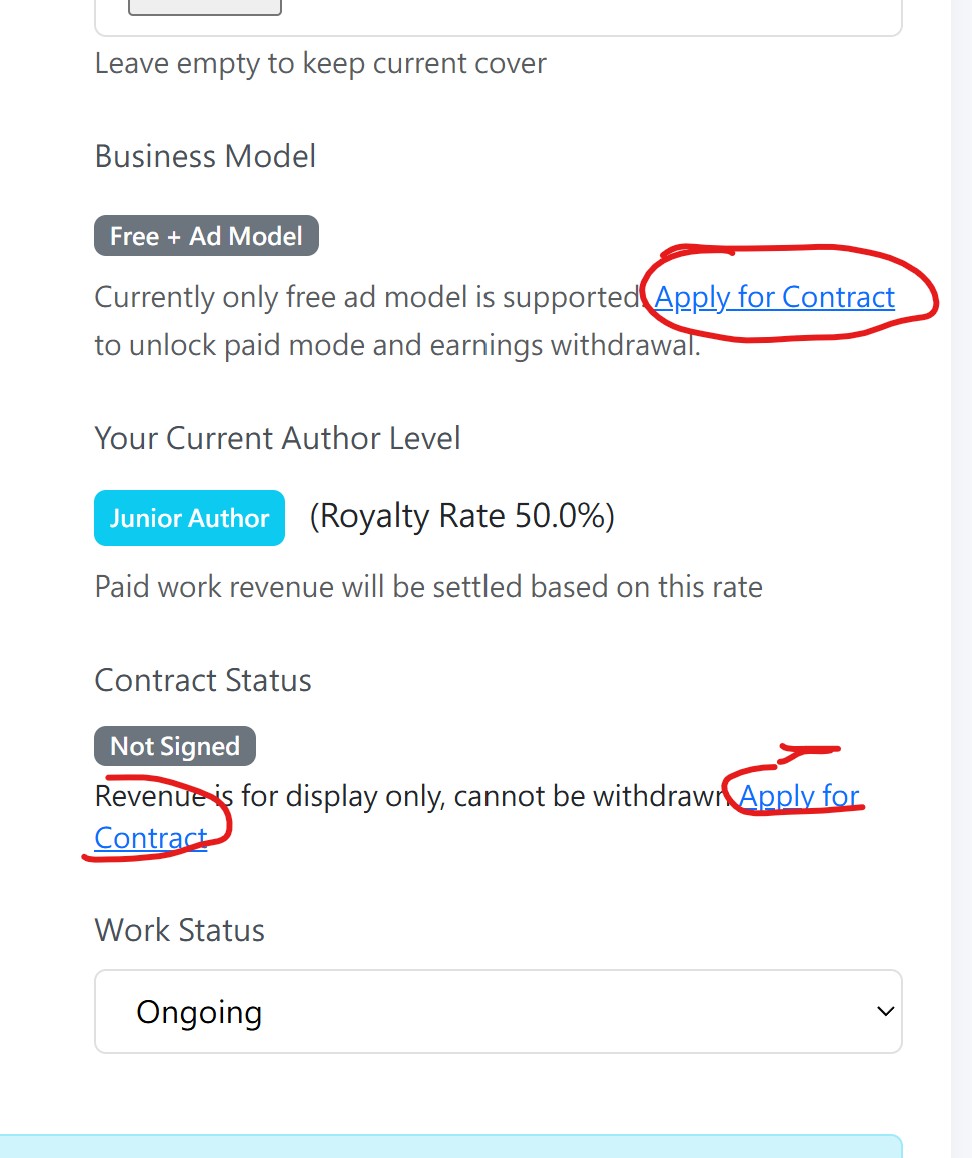
When you are ready to unlock paid mode, donations, AI translation, and ad revenue withdrawal, you can apply for the Standard Licensing Agreement.
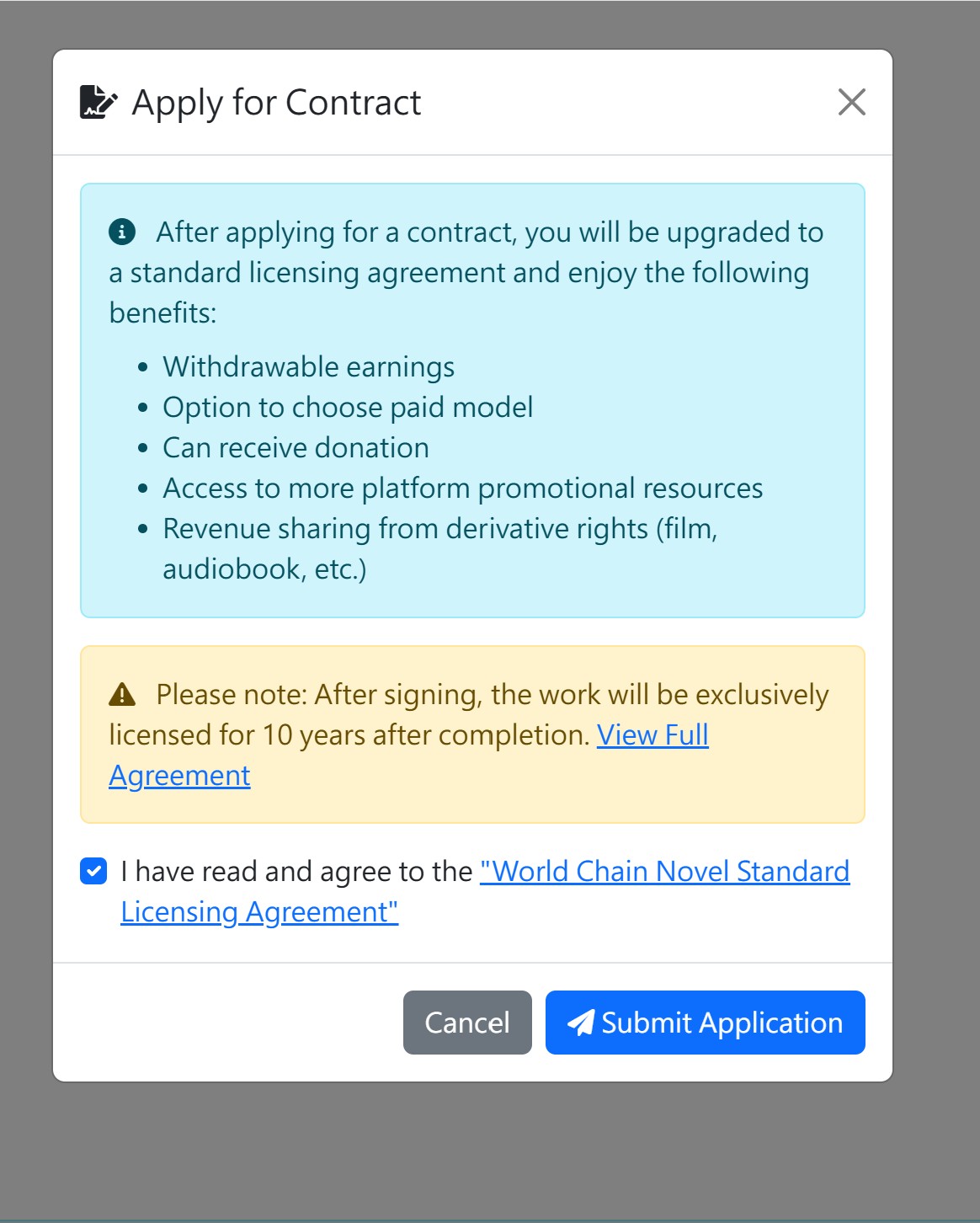
On the edit form page, click the Apply for Contract button.
Step 4: Read and Agree to the Standard Licensing Agreement
Carefully read the Standard Licensing Agreement. This is a binding contract between you and the platform that covers:
- Exclusive licensing rights
- Revenue sharing based on your author level (50%–80%)
- AI translation and overseas distribution rights
- Settlement cycles and withdrawal rules
- Content standards and compliance requirements
After reading, check the box confirming you agree to the terms, then click Submit Application.
Step 5: Wait for Admin Review
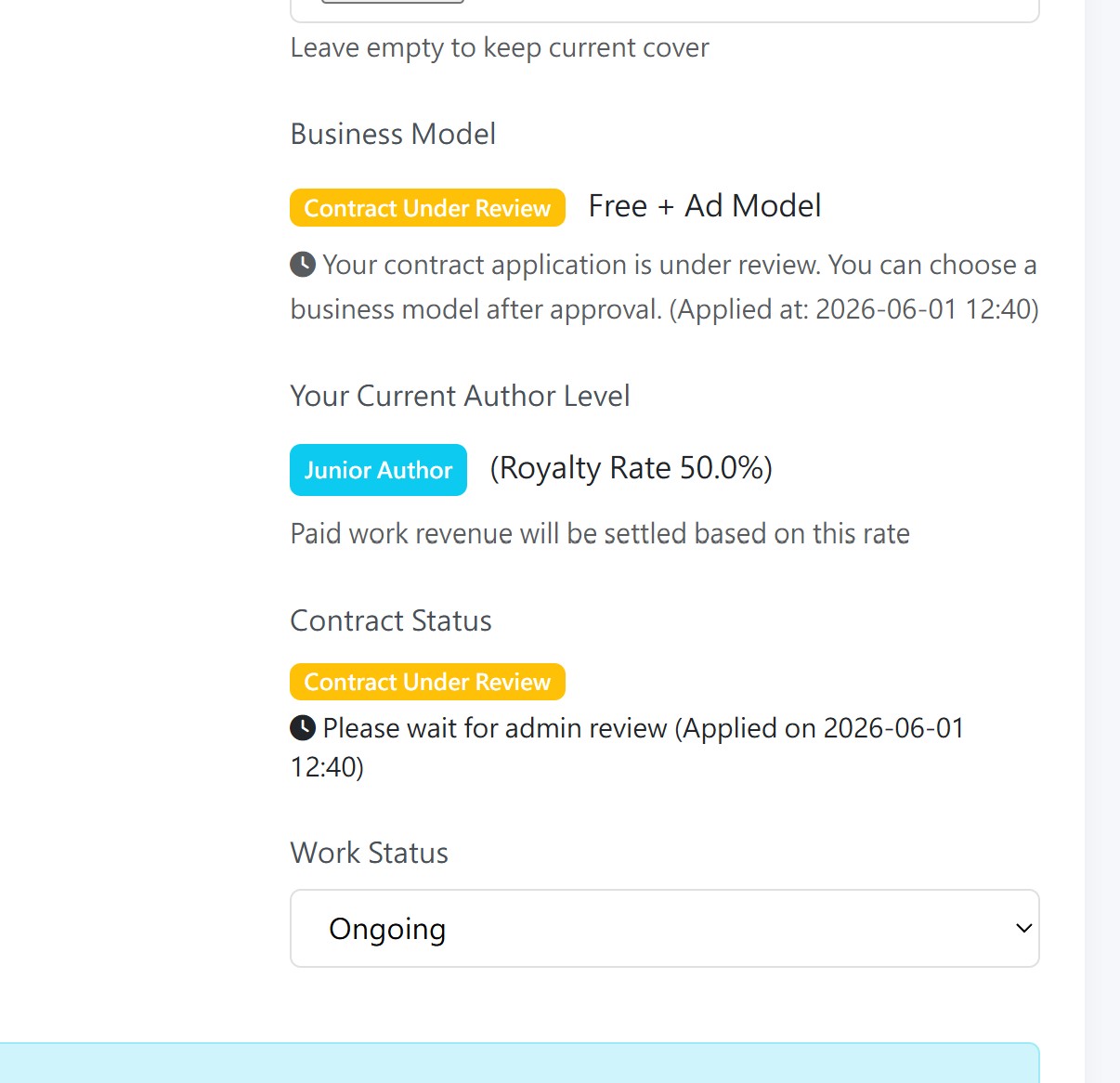
Your application will be reviewed by our book management team. During this time, your novel will show a Contract Under Review status.
Contract Application Cooldown
If your contract application is rejected, there is a 24-hour cooldown period before you can apply again. During this time, the apply button will be disabled. Use this time to improve your content and address the reviewer's feedback.
Step 6: Contract Approved!
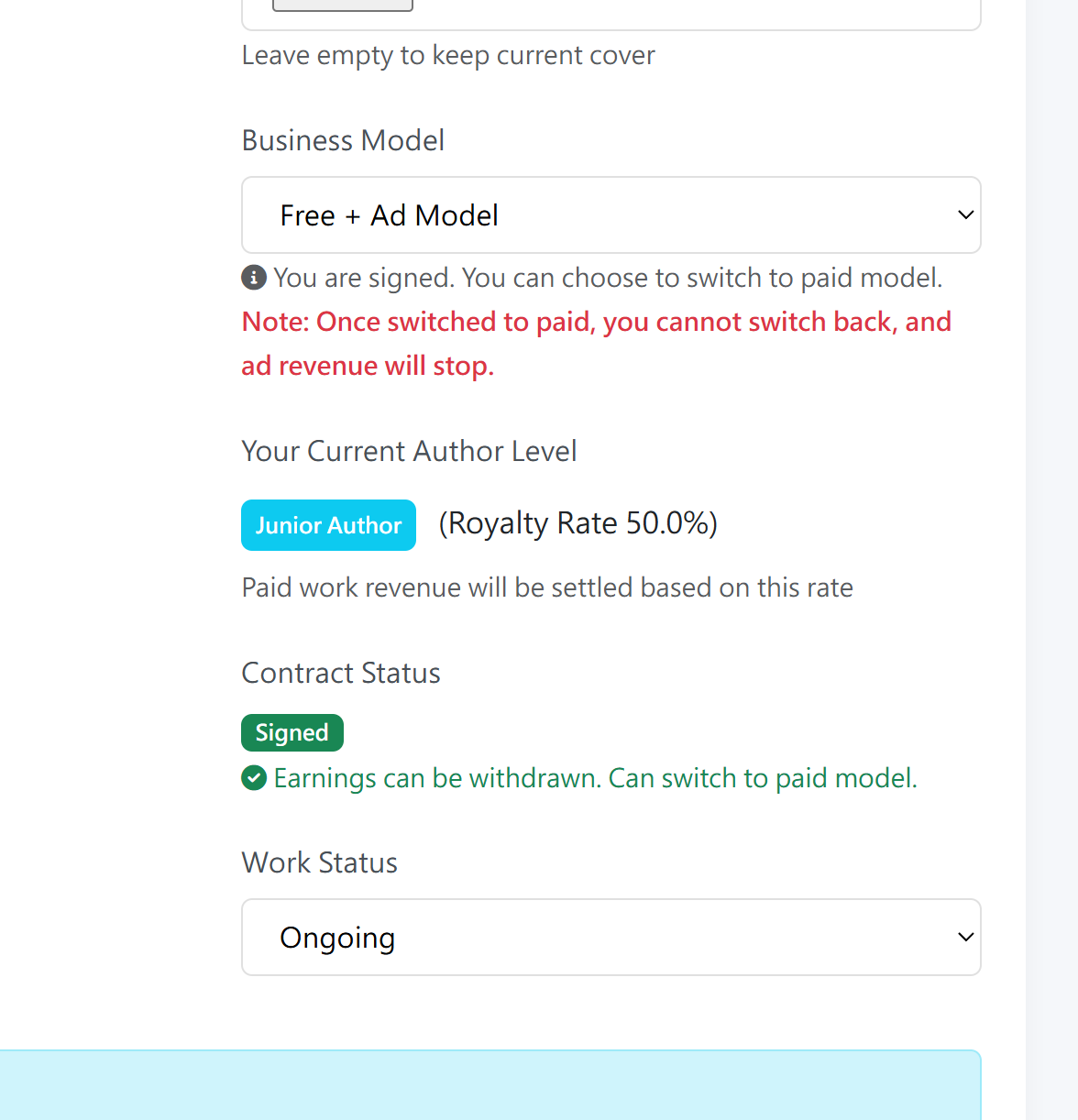
Once your application is approved, your novel will be marked as Signed and you will unlock all premium features: paid mode, donations, AI translation, and the ability to withdraw ad revenue.