How to Apply as an Author
Ready to share your stories with the world? Becoming an author on World Chain Novel is quick and free. Follow these steps to get started.
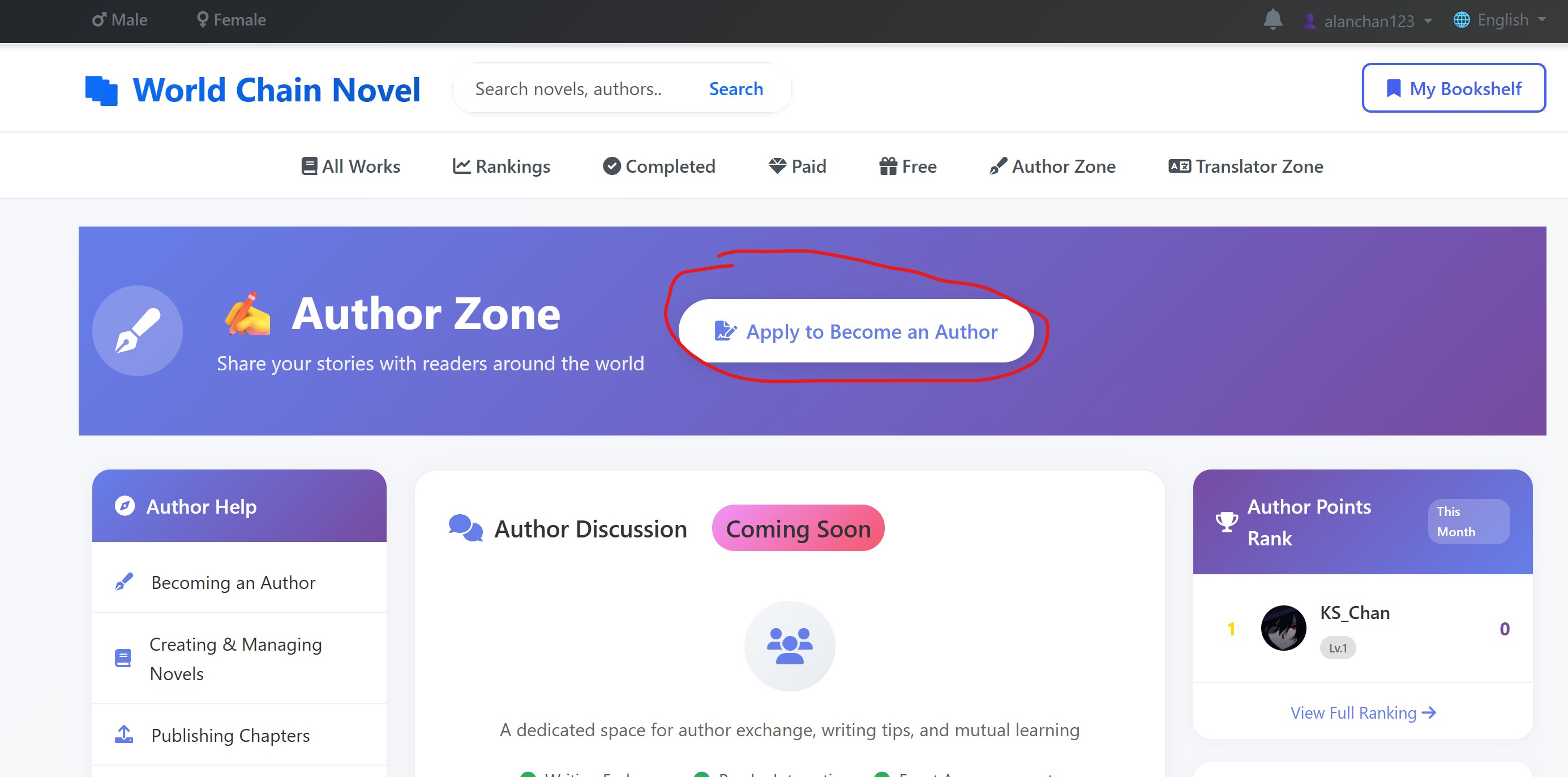
Step 1: Visit the Author Zone
Navigate to the Author Zone.
Click Apply to Become an Author and fill out the form:
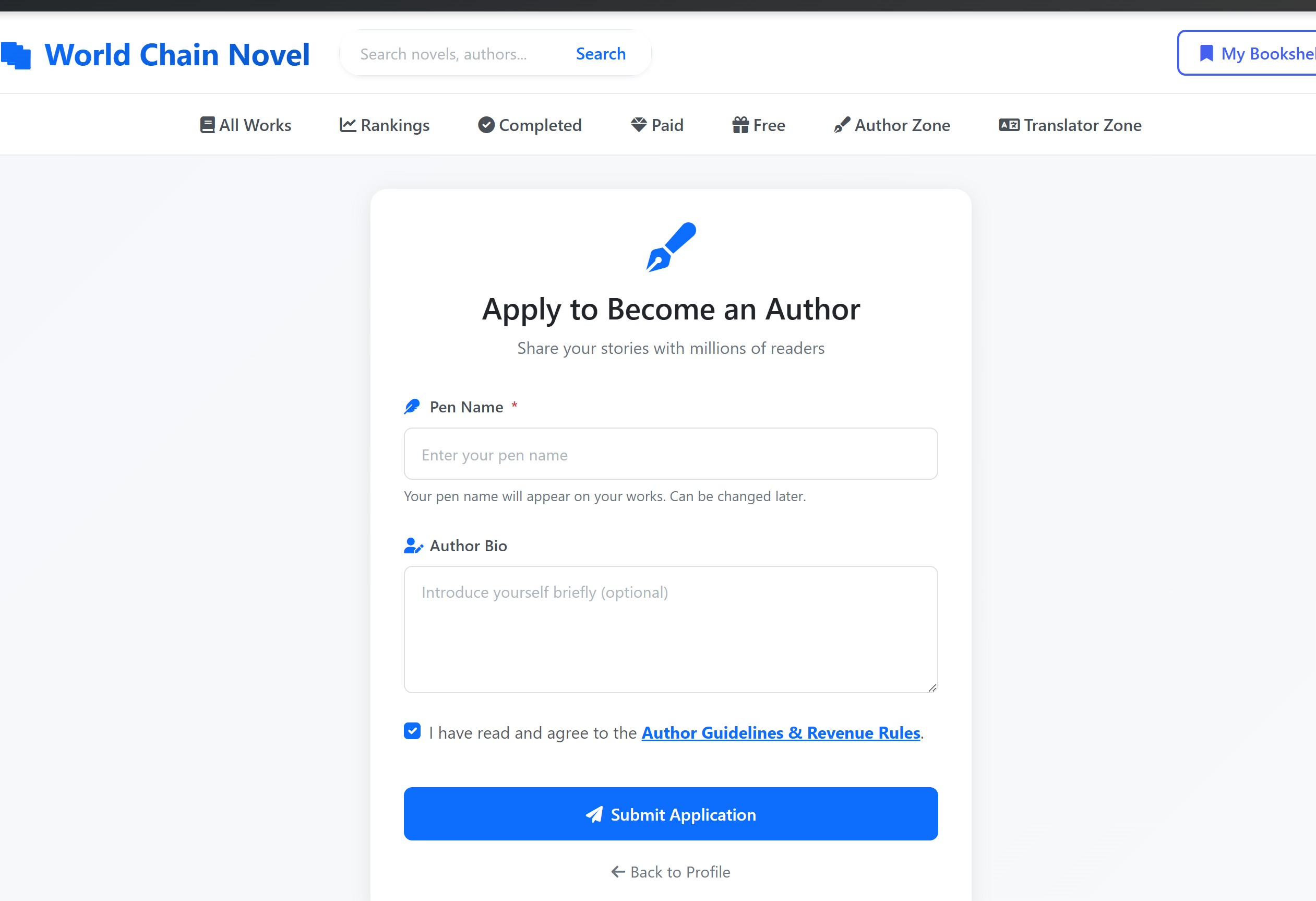
Step 2: Complete the Application
| Field | Description |
|---|---|
| Pen Name | Choose a unique pen name. This is how readers will know you. It must be different from other authors on the platform. Choose wisely — your pen name cannot be changed later. |
| Author Bio | Write a short introduction about yourself and your writing. What genres do you write? What inspires you? This helps readers connect with you. |
| Agree to Guidelines | Read and agree to the Author Guidelines & Revenue Rules. This covers content standards, licensing terms, and how you earn revenue. Make sure you understand the rules before submitting. |
Step 3: Submit Your Application
Once you have filled in all fields and agreed to the guidelines, click Submit Application. Your author account will be created instantly — no waiting for approval.
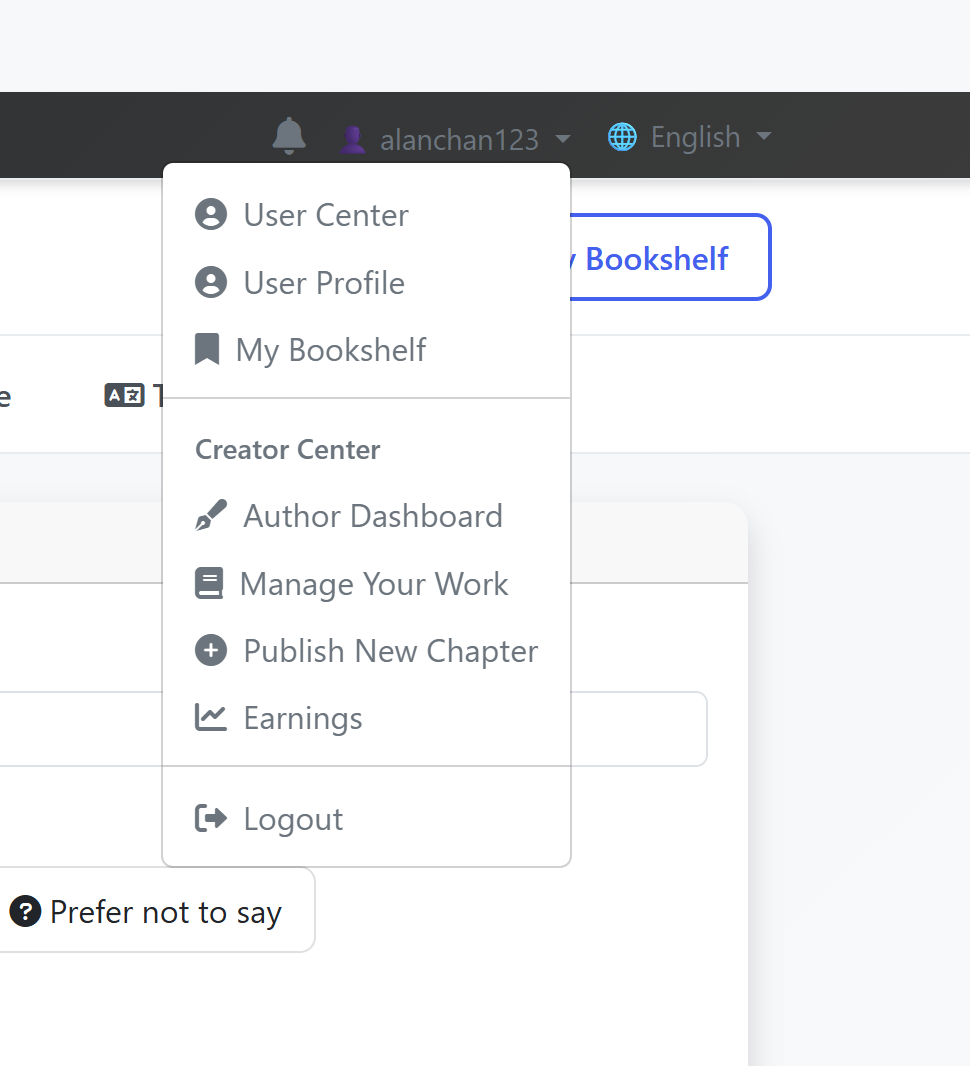
Step 4: Access Your Author Center
After approval, you can access to your Author Center. This is where you can create new novels, manage chapters, track earnings, and view your statistics.
What's Next?
- Create your first novel — Go to the Author Center and click "Create New Novel"
- Set up your profile — Add an avatar and update your bio
- Read the guidelines — Make sure you understand the content rules and revenue system