How to Create a New Novel
Ready to share your story? Creating a new novel on World Chain Novel is quick and easy. Follow these steps to get started.
Step 1: Go to Work Management
From your Author Center, navigate to Works (Work Management). Here you can see all your existing novels and create new ones.
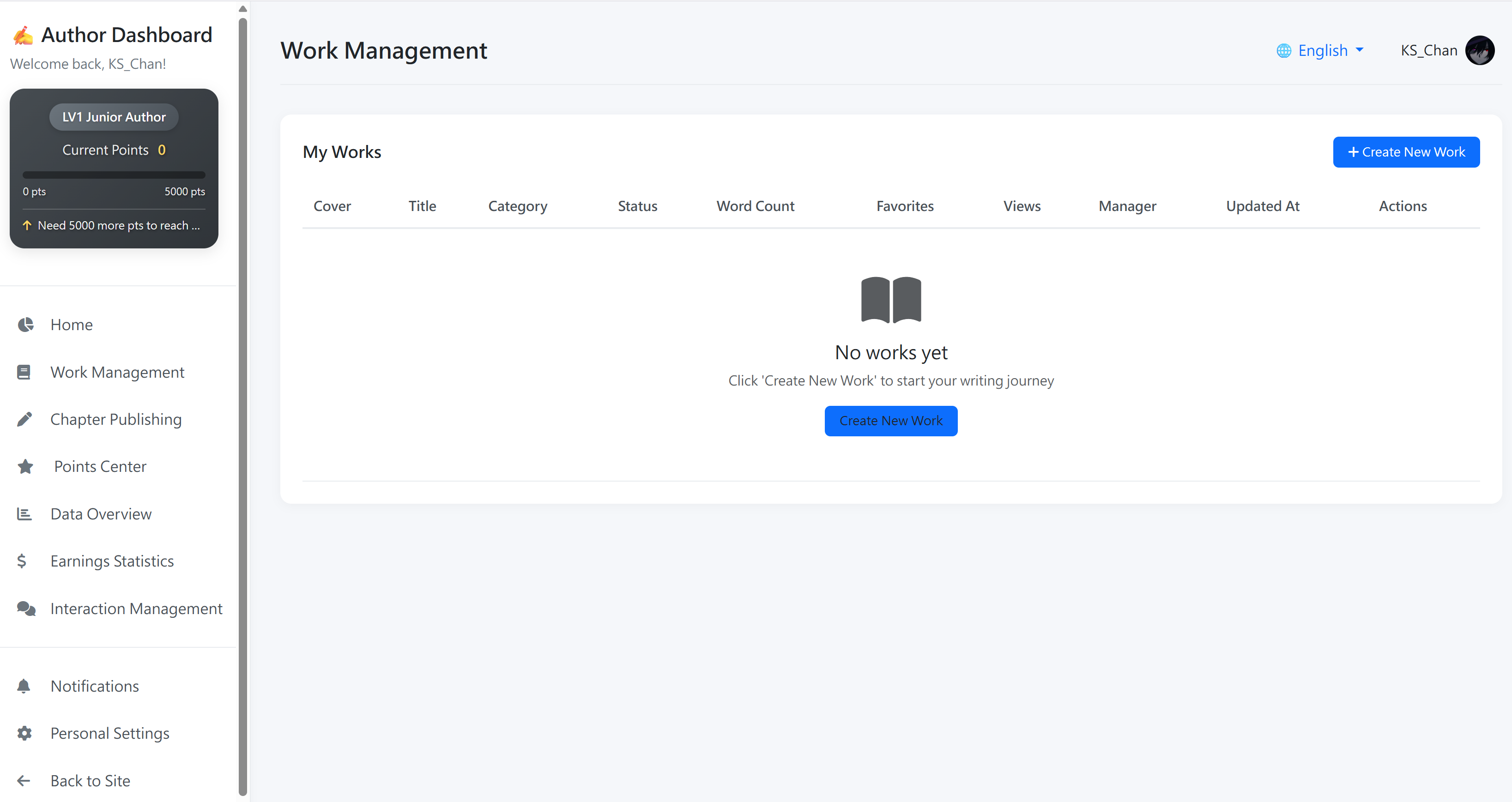
Step 2: Click "Create New Work"
Click the + Create New Work button to open the creation form.
Step 3: Fill in the Novel Details
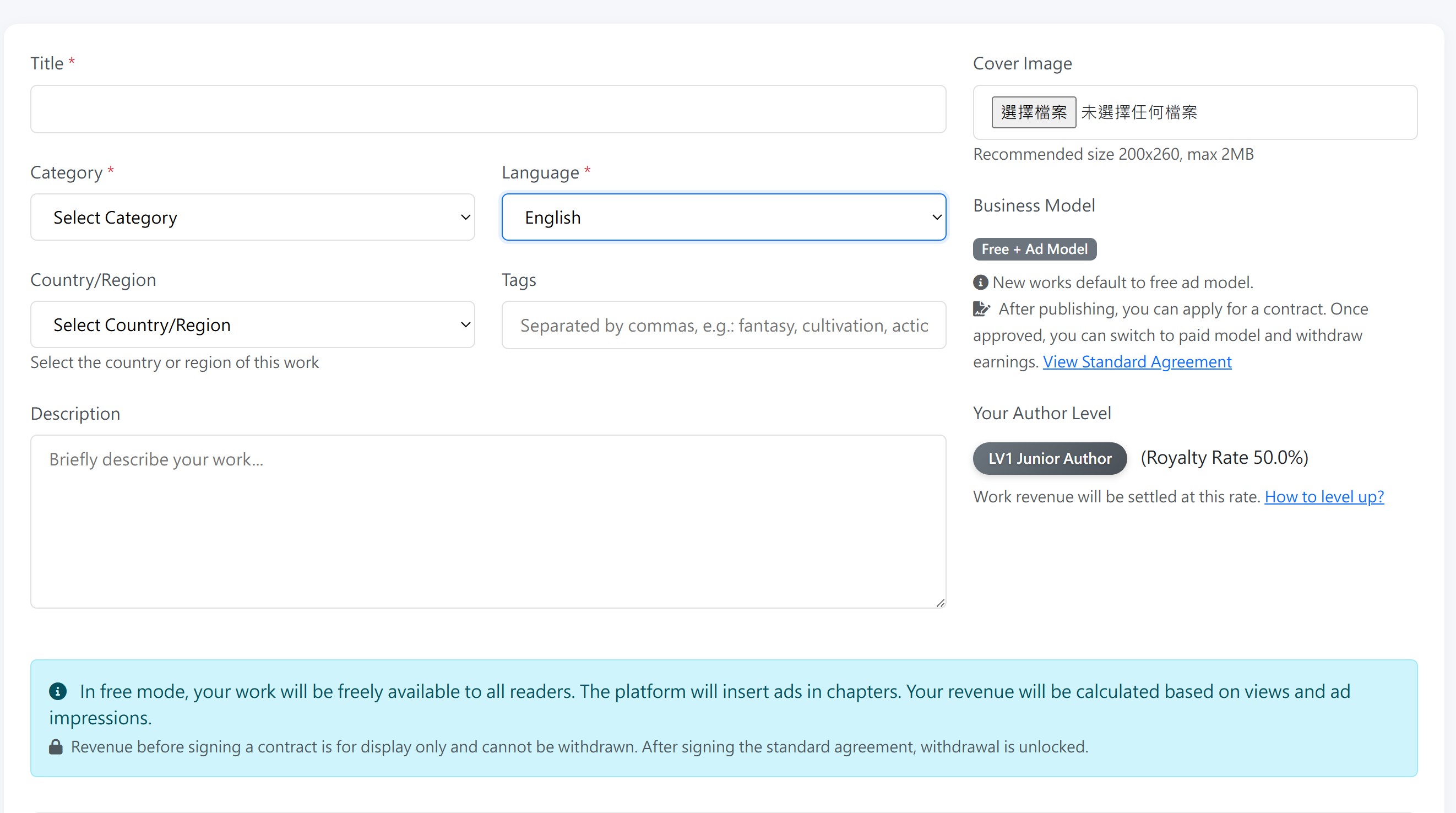
| Field | Description |
|---|---|
| Title | Choose a unique name for your novel. This is how readers will find your work. Make it memorable and distinct from other novels on the platform. |
| Category | Select the genre that best fits your story. This helps readers discover your work through category browsing. |
| Language | Choose the language your novel is written in. This determines which readers will see your work in their language filters. |
| Target Country/Region | Select the primary country or region your story targets. This helps with regional recommendations and statistics. |
| Tags | Add relevant keywords to describe your story. Tags help readers find your work through search. Separate multiple tags with commas. |
| Description | Write a compelling synopsis of your novel. This is your chance to hook readers and convince them to start reading. |
| Cover Image | Upload a cover image for your novel. A good cover attracts more readers. Recommended size: 800x1200 pixels. Supported formats: JPG, PNG. |
Step 4: Agree to the Publishing Agreement
Check the box confirming you have read and agree to the Basic Publishing Agreement. This is required for all new works.
Step 5: Click "Create Work"
Once all fields are filled and you have agreed to the terms, click + Create Work. Your novel will be created instantly.
About the Basic Publishing Agreement
By default, all new novels are published under the Basic Publishing Agreement, which is a non-exclusive arrangement. Here is what that means:
| Feature | Basic Publishing Agreement |
|---|---|
| Exclusivity | Non-exclusive — you retain all rights and can publish elsewhere |
| Content Rules | Must comply with platform content guidelines |
| Donations | ❌ Not available — readers cannot send donations |
| Paid Mode | ❌ Cannot switch to paid contract model |
| AI Translation | ❌ Not available for basic agreement works |
| Ad Revenue | ✅ Earn from ads — but can only withdraw after signing the Standard Licensing Agreement |
Upgrading to the Standard Licensing Agreement
When you are ready to unlock all features — including donations, paid mode, AI translation, and ad revenue withdrawal — you can apply for the Standard Licensing Agreement from the Works page. This requires a review process by our team.
See our Standard Licensing Agreement page for full details.