Author Center Overview
Your Author Center is the command center for your writing career on World Chain Novel. From here, you can manage every aspect of your novels, track performance, and handle your earnings.
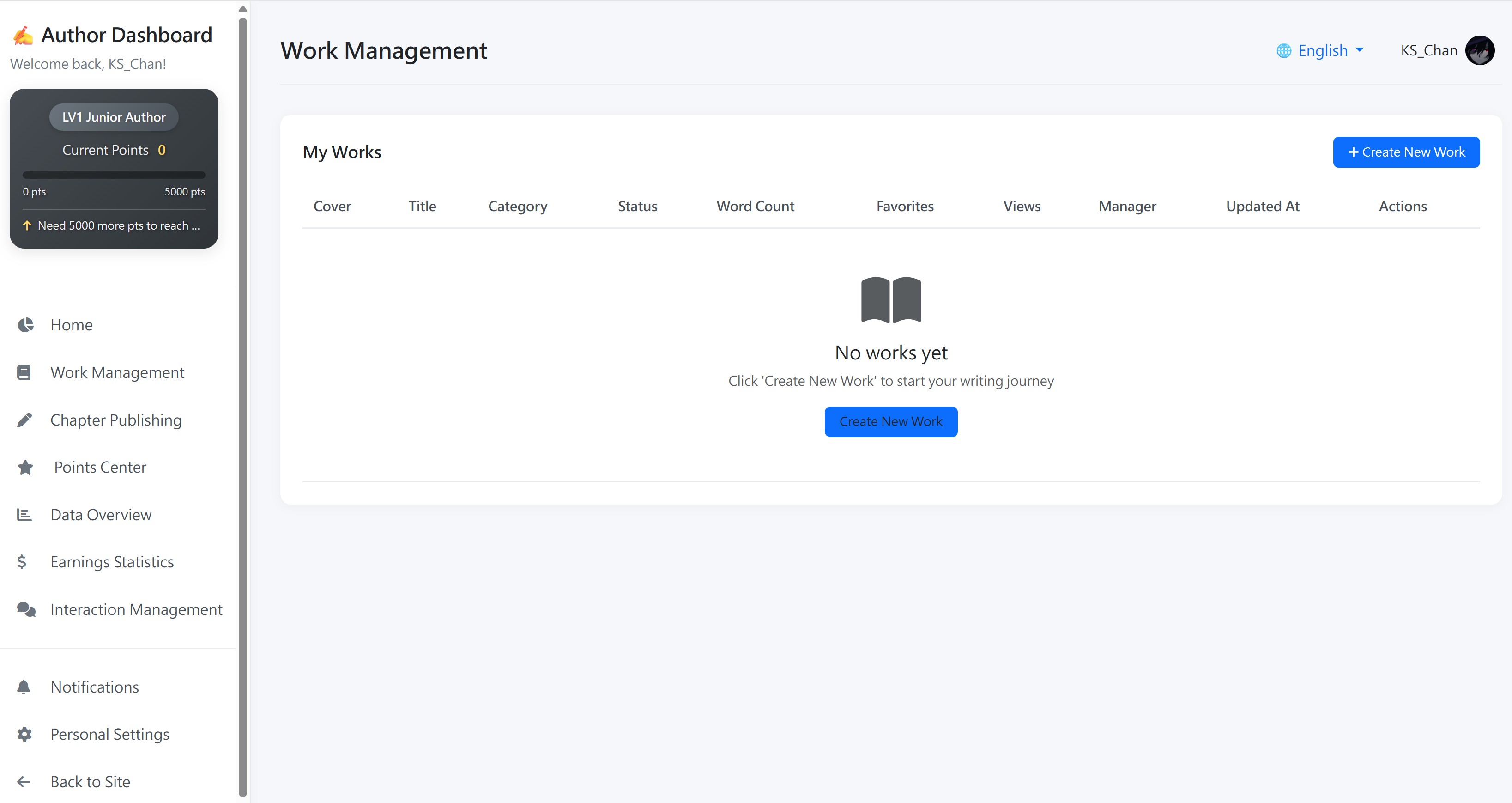
Author Center Sections
| Section | What You Can Do |
|---|---|
| Dashboard | Your author homepage. View total works, total words, favorites, views, and monthly earnings at a glance. Track your author level and royalty rate. |
| Works | Manage all your novels. Create new works, edit existing ones, apply for contracts, and submit completion requests. |
| Chapters | Write and publish chapters. Choose to publish immediately, save as draft, or schedule for later. Edit and delete chapters as needed. |
| Data Overview | View detailed statistics for each novel, including views, favorites, reading time, male/female reader demographics, purchase data, donations, monthly tickets, and reader regions by country. |
| Earnings Statistics | Track your revenue in detail. View daily, monthly, and yearly earnings. See breakdowns by subscription, donations, and ad revenue. Monitor your available balance and withdraw your earnings. |
| Interaction | Manage reader reviews, paragraph comments, fan values, donations received, and monthly ticket votes. Filter by novel and time range. |
| Points | Track your author points and level progression. Complete tasks like daily updates and milestones to earn points. View your points history. |
| Settings | Configure your author profile, notification preferences, default publish settings, and bank account information for withdrawals. |
Earnings Statistics Page
The Earnings Statistics page provides a comprehensive view of your revenue:
- Account Balance — Your current available balance that can be withdrawn (minimum $50.00)
- Revenue Trend Chart — Visual graph of your daily earnings over the last 30 days
- Monthly Revenue Details — View detailed daily breakdowns for any month
- Work Revenue Details — See earnings broken down by each novel
- Royalty Rate Display — Your current royalty rate based on your author level
- Revenue Categories — Subscription revenue, donation revenue, ad revenue, and other income tracked separately
- Withdraw Button — Submit withdrawal requests directly from this page (paid between 1st-5th of each month)