Reader Settings & Features
World Chain Novel offers a fully customizable reading experience. You can adjust fonts, colors, spacing, and access translations — all from within the chapter reader.
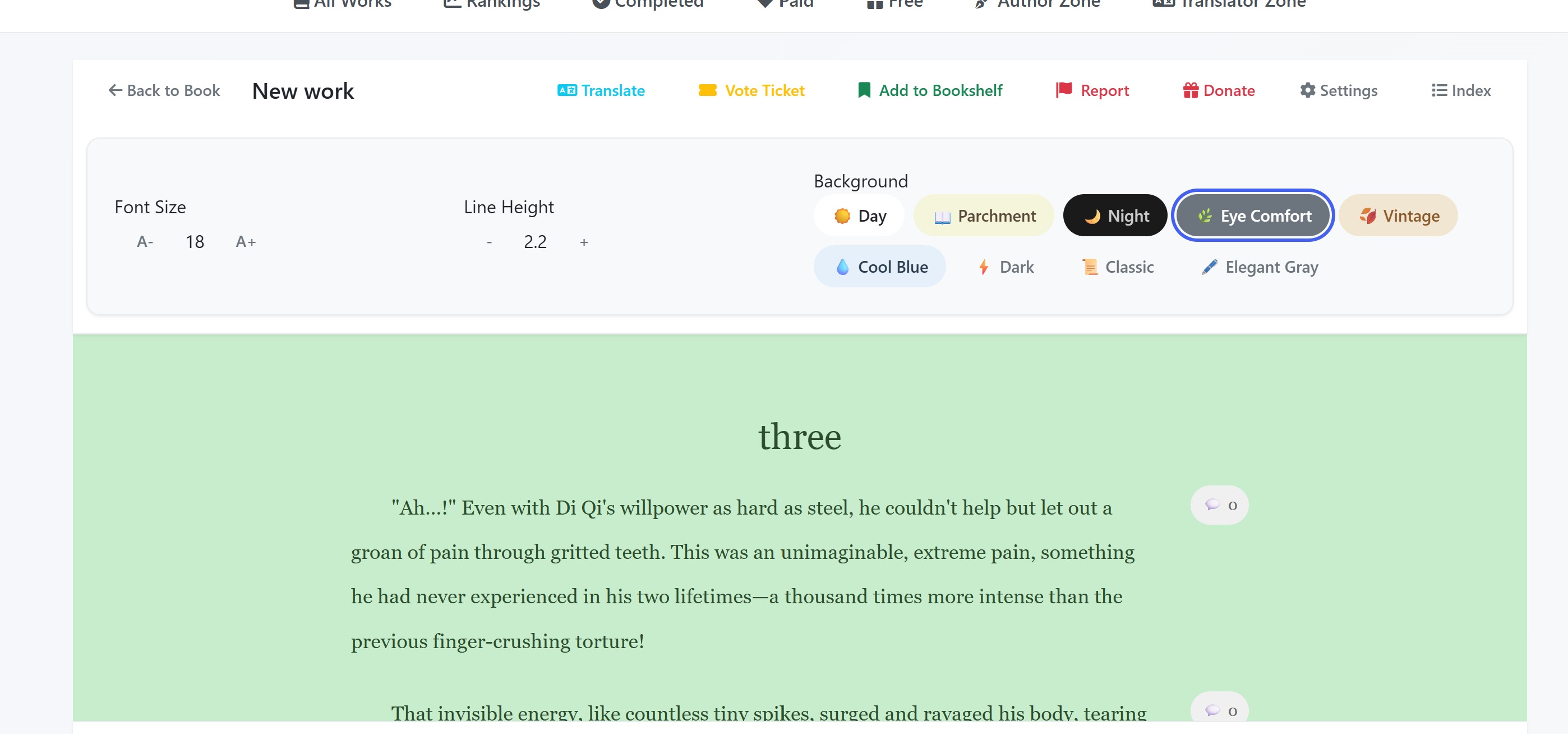
Font Size
Adjust the text size to your comfort using the A+ and A- buttons in the Settings panel. The current size is displayed between the buttons. Your preference is saved automatically and applied to all chapters.
Line Height
Control the spacing between lines using the + and - buttons. A larger line height makes reading easier on the eyes, while a tighter spacing fits more text on screen. The current value is shown between the buttons.
Background Color Themes
Choose from 9 preset reading themes to suit your environment and preference:
Your theme selection is saved and will persist across all chapters until you change it again.
Chapter Index
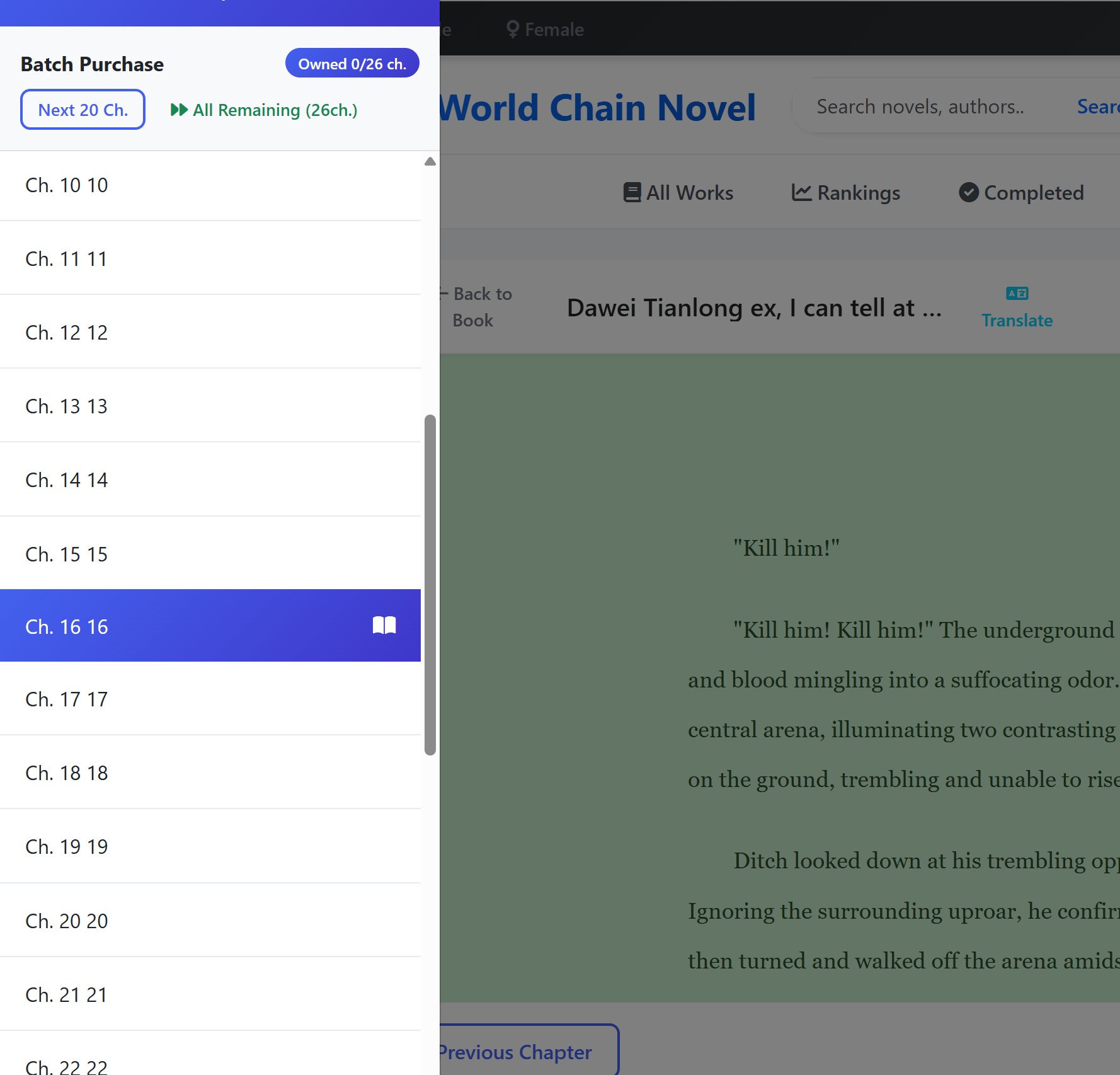
Click the Index button in the top toolbar to open the chapter list sidebar. From here you can:
- See all chapters with their titles and status (locked, unlocked, or current)
- Jump directly to any chapter by clicking on it
- Batch purchase multiple chapters at once using the quick purchase buttons
- The current chapter is highlighted for easy reference
Translations
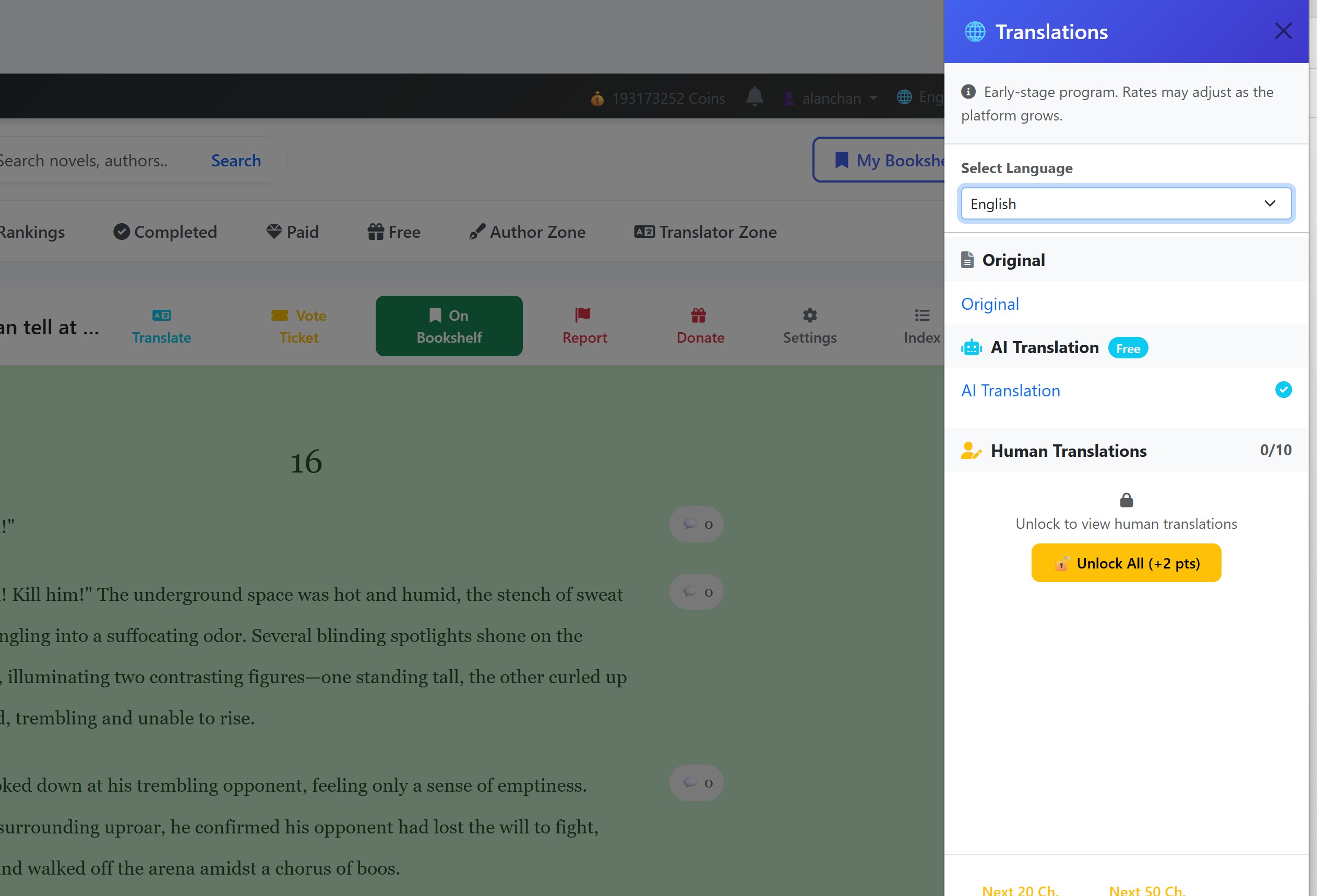
Click the Translate button in the top toolbar to open the translation panel. Here you can:
- Select a target language from the dropdown menu — choose from all supported languages on the platform
- View available translations for the current chapter — both AI-generated and community translations are listed
- Switch translations — click on any available translation to instantly switch the chapter content to that language
- Batch unlock translations — use the quick buttons to unlock translations for multiple upcoming chapters at once