Creating Your World Chain Novel Account
Creating an account is free and takes less than a minute. With an account, you can save novels to your bookshelf, track reading progress, earn points, vote with monthly tickets, and interact with authors.
Step 1: Go to the Registration Page
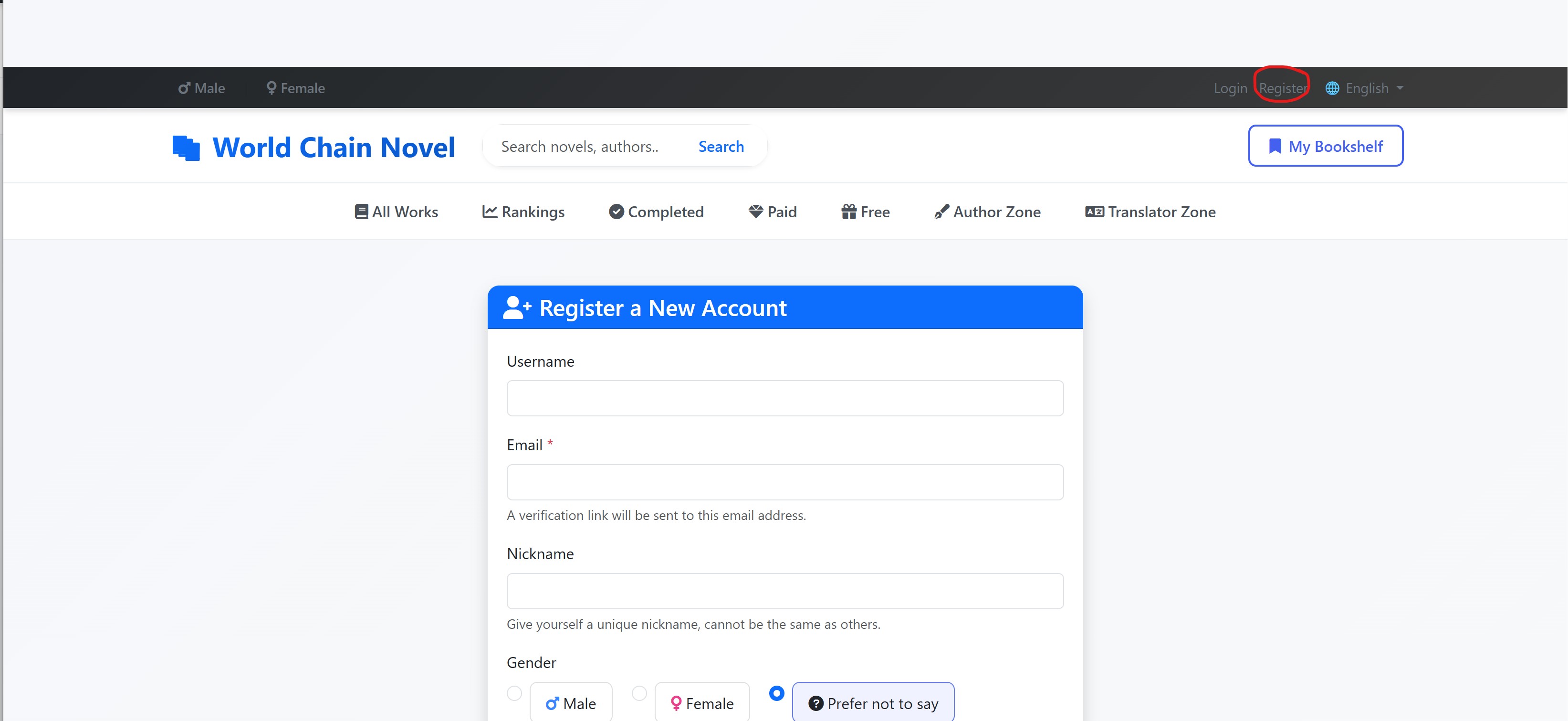
On the top toolbar of any page, click the Register link next to Login. You'll be taken to the registration form.
Step 2: Fill in Your Details
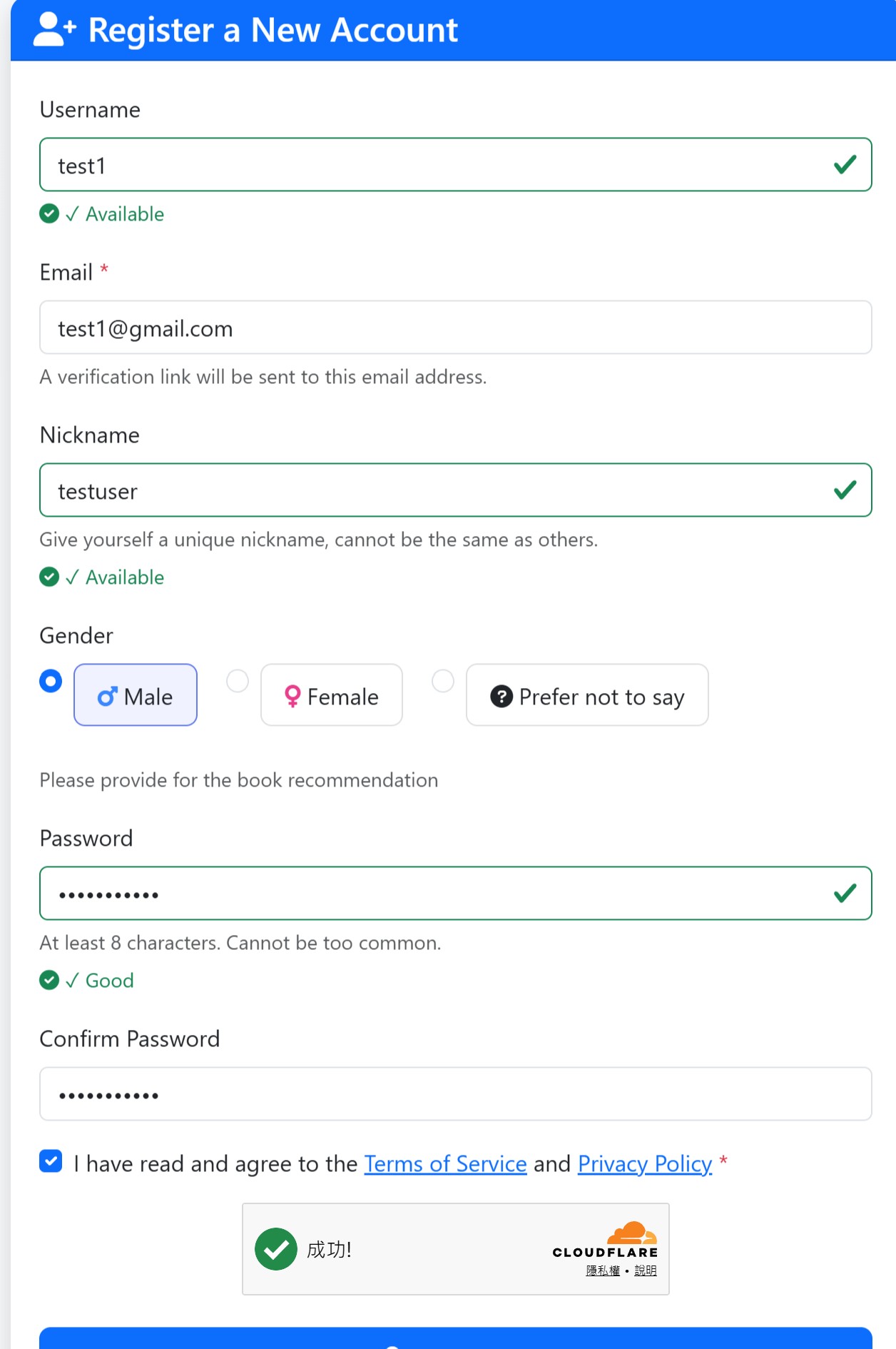
| Field | Description |
|---|---|
| Username | Choose a unique username. Only letters, numbers, and underscores are allowed. Minimum 3 characters. |
| Enter a valid email address. A verification link will be sent to this address. You must verify your email before logging in. | |
| Nickname | (Optional) A display name shown publicly on the platform. Must be unique if provided. |
| Gender | Select your gender. This customizes your default channel experience (Male or Female) and your default avatar. |
| Password | Create a strong password with at least 8 characters. Include a mix of letters, numbers, and symbols. |
| Confirm Password | Re-enter your password to confirm. |
Step 3: Verification
Complete the Turnstile verification to prove you're not a robot. This helps protect the platform from automated abuse.
Step 4: Agree to Terms
Check the box confirming you have read and agree to the Terms of Service and Privacy Policy. Click the links to review them before proceeding.
Step 5: Complete Registration
Click the Register button. If all fields are valid, your account will be created.
Step 6: Verify Your Email
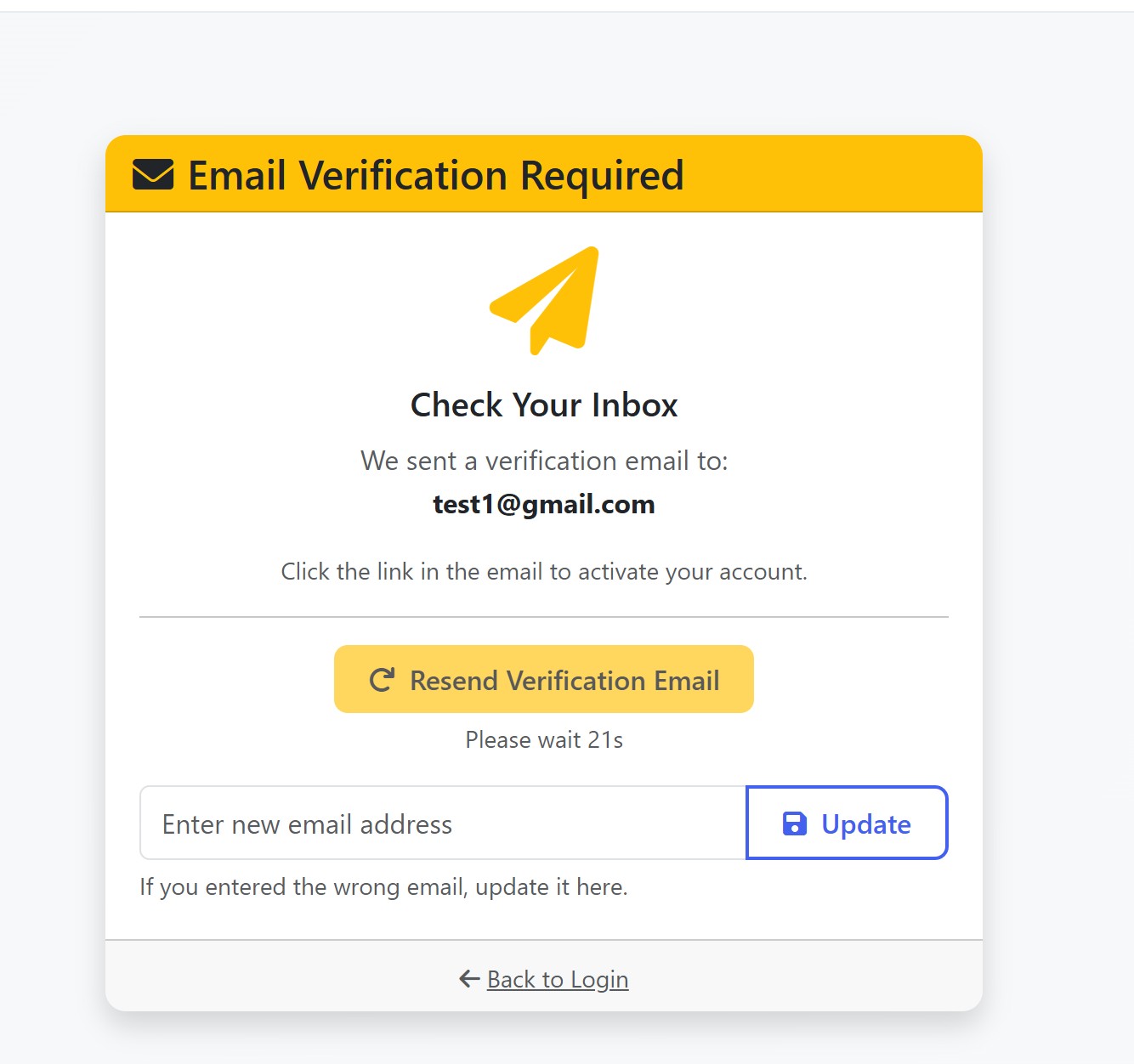
Check your inbox for a verification email from World Chain Novel. Click the link in the email to verify your account.
If you don't see the email, check your spam folder. You can also request a new verification email from the login page if you entered the wrong email address.
Step 7: Log In
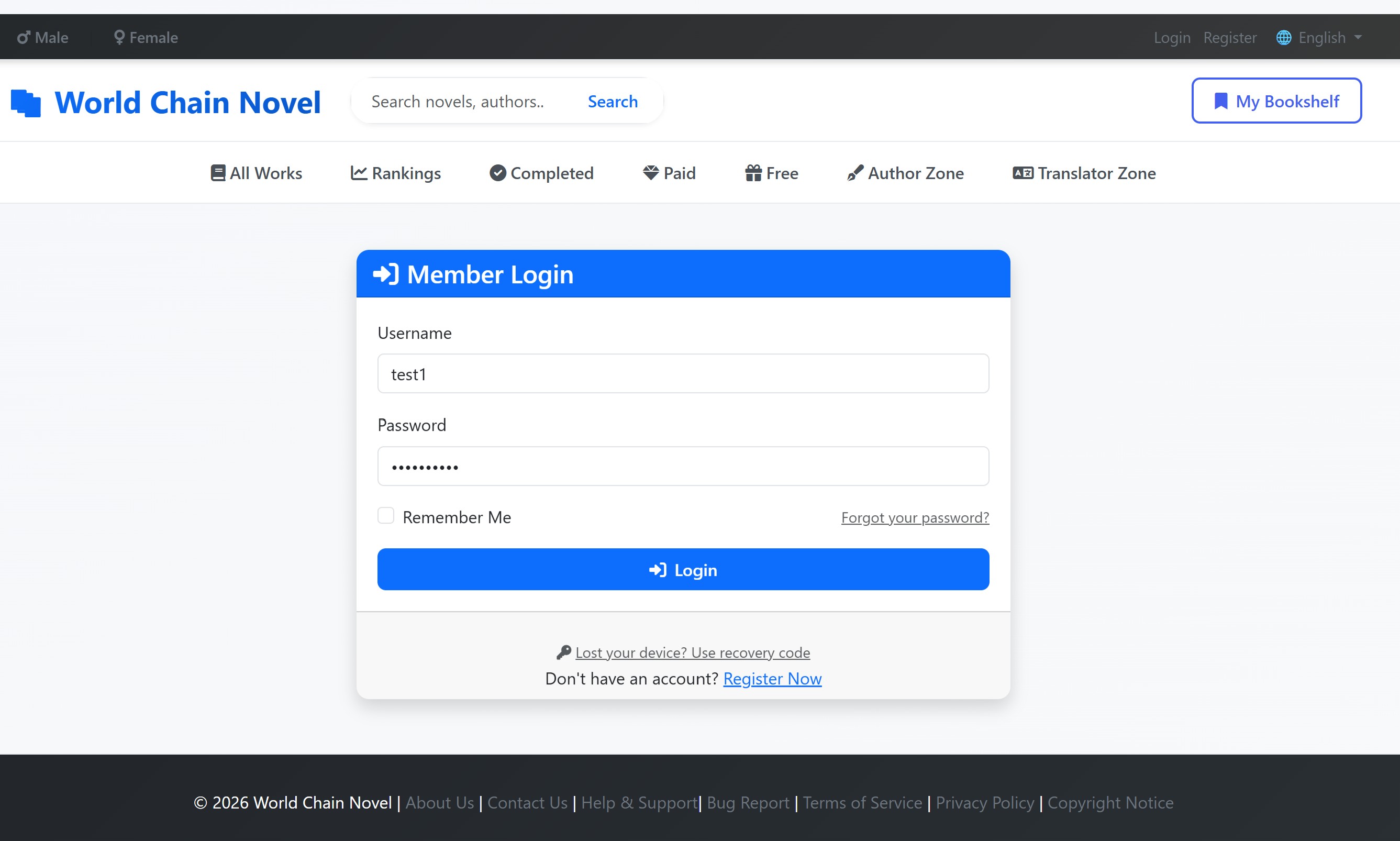
Once your email is verified, return to the login page and sign in with your username and password. You're now ready to start reading!
After Registration
- Reader role: Every new account starts as a Reader with Level 1 (First Reader) and 0 points
- Profile setup: Go to Profile from the user dropdown menu to add an avatar, bio, and customize your reading settings
- Start reading: Browse the homepage or use the search bar to find novels
- Become an author: Visit the Author Zone if you want to publish your own stories
- Become a translator: Once you reach Reader Level 6, you can apply to become a translator from the Translator Zone
Troubleshooting
- Username already taken? Try a different variation or add numbers
- Didn't receive verification email? Check spam folder, or click "Resend" on the login page
- Entered wrong email? Log in with your username — you'll be directed to a page where you can update your email
- Password too weak? Use at least 8 characters with a mix of uppercase, lowercase, numbers, and symbols